If you’re searching for CGI editing, chances are you already know one thing: normal video editing is no longer enough.
Audiences today expect visuals that feel immersive, cinematic, and slightly unreal in a good way. Whether it’s a product floating in mid-air, a city transforming on screen, or an animated character interacting with real footage, CGI video editing is now the language of modern visual storytelling.
But CGI editing is often misunderstood. Many people think it’s just about software. Others believe it’s only for movies with massive budgets. In reality, CGI editing today sits at the intersection of technology, creativity, and problem-solving, and it’s being used everywhere from ads and reels to games and brand films.
This guide is written for people actively looking for CGI editing services, CGI video editing, or a professional CGI editor or studio. We’ll explain what CGI editing actually is, how it works, what tools are involved, when apps are enough, and when you need a professional CGI production partner like Incredimate.
What Is CGI Editing?
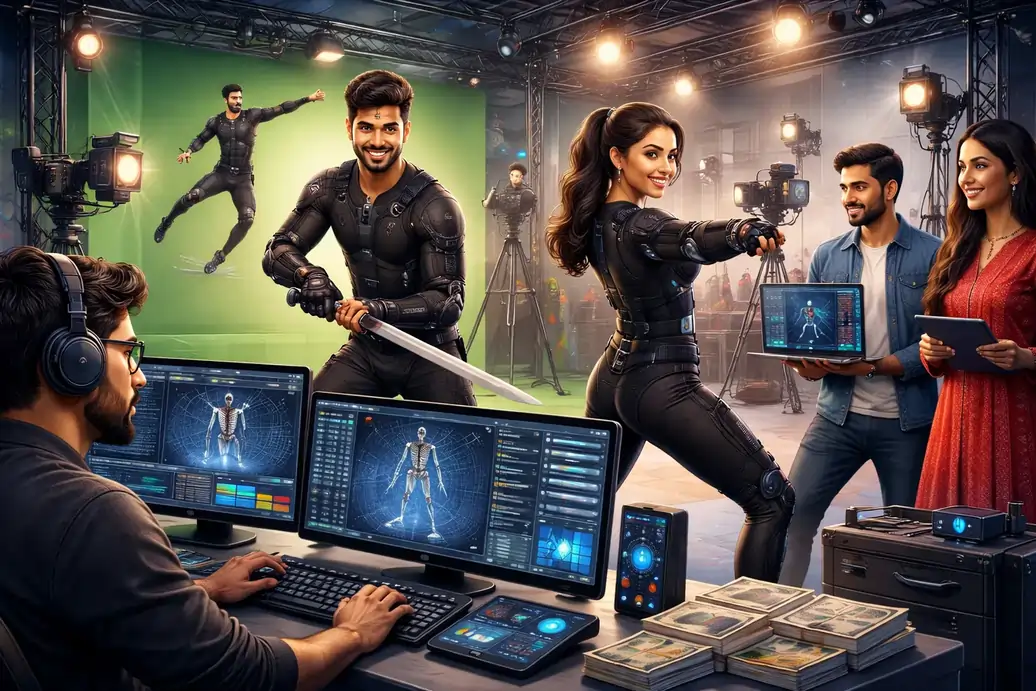
CGI editing refers to the process of creating, integrating, and refining computer-generated imagery within a video or animation. It’s not just about adding effects it’s about making digital elements feel like they belong naturally inside a scene.
A typical CGI edit can include:
- 3D objects added to live footage
- Animated characters interacting with real environments
- Product visualizations that don’t exist physically
- Environments built entirely in 3D
- Enhancing real footage with digital realism
Unlike standard video editing, CGI editing involves multiple creative and technical layers: modeling, lighting, animation, compositing, and final polish.
That’s why CGI editing is not a single step it’s a pipeline.
CGI Editing vs Normal Video Editing
This is where many projects go wrong.
Normal video editing focuses on:
- Cutting footage
- Adjusting color
- Adding music and transitions
CGI video editing, on the other hand, focuses on:
- Creating visuals that don’t exist
- Matching digital elements to real-world physics
- Blending CGI seamlessly into footage
- Controlling light, depth, scale, and motion
If normal editing is about arranging reality, CGI editing is about building believable illusions.
CGI Video Editing: How the Process Works
Professional CGI video production follows a structured process. Skipping steps usually results in visuals that feel fake or unfinished.
1. Concept & Planning
Every CGI edit starts with clarity:
- What needs to be created?
- What should look real?
- What emotion should the scene convey?
At this stage, references, storyboards, and visual direction are locked. Strong CGI editing always begins on paper, not in software.
2. Asset Creation
This is where CGI begins to take shape.
Assets may include:
- 3D models (products, props, environments)
- Textures and materials
- Lighting setups
- Digital cameras matching real footage
This stage defines realism. Poor asset quality cannot be fixed later.
3. Animation & Simulation
Here, assets are brought to life:
- Movement
- Physics
- Timing
- Interaction with the environment
In CGI editing, animation isn’t just about motion it’s about weight, balance, and intention.
4. CGI Editing & Compositing
This is the core of CGI video editing.
CGI elements are:
- Integrated into live footage
- Matched with camera movement
- Color-balanced
- Shadow-matched
- Depth-matched
This stage determines whether the viewer believes what they see.
5. Final Polish & Output
The final CGI edit includes:
- Color grading
- Motion refinement
- Visual consistency
- Export for multiple platforms
Professional CGI editing doesn’t scream “CGI.”
It quietly convinces the eye.
CGI Editing Software & Tools Explained
People often search for CGI software or CGI editing software, hoping tools alone will solve the problem. Tools matter but only in the hands of people who understand visual logic.
Professional CGI editing usually involves a combination of software, not just one app.
Common categories of CGI tools:
- 3D modeling and animation software
- Rendering engines
- Compositing tools
- Motion graphics tools
Each tool handles a specific responsibility. The magic happens when they work together.
Knowing what software is used for CGI is helpful, but knowing how and why to use it is what separates professionals from beginners.
CGI Editing Apps vs Professional CGI Software
There’s a growing number of CGI editing apps and CGI video editing apps, especially for mobile and PC. These tools are great for:
- Learning basics
- Quick experiments
- Social media edits
- Simple CGI edits
But they come with limitations:
- Limited realism
- Restricted control
- Template-based results
- Poor integration with live footage
Professional CGI software offers:
- Full control over lighting and physics
- Cinematic realism
- Custom animation pipelines
- Scalability for large projects
If your goal is serious CGI video production, apps are stepping stones not destinations.
Who Needs CGI Video Editing?
CGI is no longer limited to films.
Brands & Marketers
- Product launches
- Concept visuals
- Explainer videos
- Ads that stand out
Filmmakers
- Impossible scenes
- World-building
- Digital environments
- Visual storytelling
Content Creators
- High-impact reels
- Stylized visuals
- Creative storytelling
Game & Tech Companies
- Cinematic trailers
- Game intros
- Virtual simulations
If your content needs to show more than reality allows, CGI editing is the solution.
CGI Editor vs CGI Studio: What’s the Difference?
A CGI editor is often a single professional handling specific tasks.
A CGI studio brings:
- Multiple specialists
- Structured workflow
- Quality control
- Scalability
- Deadline reliability
For small projects, a single CGI editor may be enough.
For brand campaigns, product films, or cinematic visuals, a studio setup delivers consistency and polish.
Incredimate operates as a CGI and animation studio, not just a tool operator. That difference matters.
What Software Is Used for CGI Editing Professionally?
Many people ask, “What software is used for CGI?” hoping for a shortcut.
Professionally, CGI editing involves:
- 3D creation tools
- Rendering engines
- Compositing software
- Motion design tools
But software alone doesn’t create good CGI.
The same tools can produce:
- Amateur results
- Or cinematic visuals
The difference lies in:
- Artistic judgment
- Technical understanding
- Experience with real-world physics
- Storytelling sense
That’s why professional CGI studios focus on pipelines, not just programs.
Common Mistakes in CGI Editing
Poor CGI edits are easy to spot.
Common issues include:
- Unrealistic lighting
- Floating objects
- Wrong scale
- Overuse of effects
- Ignoring shadows and reflections
These mistakes don’t come from bad tools.
They come from skipping fundamentals.
Good CGI editing respects:
- Physics
- Light behavior
- Camera logic
- Visual consistency
CGI and Video Services Offered by Incredimate
At Incredimate, CGI editing is part of a larger creative ecosystem.
Our CGI and video services include:
- CGI video editing
- 3D animation
- Product CGI visualization
- Motion graphics
- VFX compositing
- Full video production
We don’t treat CGI as decoration.
We treat it as storytelling infrastructure.
Every CGI edit is designed to:
- Look real
- Feel intentional
- Serve the narrative
Why Choose Incredimate for CGI Editing?
People come to Incredimate because they want results, not experiments.
What sets us apart:
- Animation-first mindset
- Professional CGI pipeline
- Realistic, believable visuals
- Clear communication
- Scalable production
Whether you’re a brand, creator, or studio, our goal is simple:
Make CGI work for your story not distract from it.
FAQs About CGI Editing
Can CGI be added to real videos?
Yes. CGI editing often blends digital elements into live footage.
Is CGI editing expensive?
It depends on complexity. Professional CGI is scalable and project-based.
Do I need special software?
You don’t need software if you work with a CGI studio.
Who makes cartoons and CGI content professionally?
Animation and CGI studios like Incredimate handle end-to-end production.
Looking for Professional CGI Editing?
If you’re searching for CGI editing, CGI video editing, or reliable CGI video production, you’re likely past the experimentation stage. You want visuals that look real, polished, and intentional.
That’s where professional CGI services make the difference.
At Incredimate, we help turn ideas into visuals that audiences believe and remember.
If your project needs CGI that actually works, the next step is simple:
start a conversation.