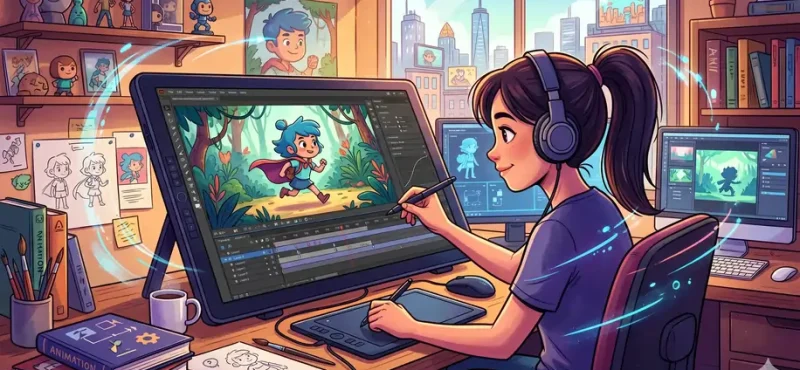
Animation is no longer a studio-only craft. It’s a daily language of brands, creators, educators, and storytellers. From nostalgic classics like The Lion King to modern cultural icons like South Park, animation has evolved from hand-drawn frames to fast, accessible digital creation.
This guide breaks it all down. No fluff. Just clarity, depth, and practical insight.
What Is Animation
At its core, animation is controlled illusion.
A sequence of still images shown rapidly tricks the brain into seeing motion. This effect is powered by a scientific principle called Persistence of Vision.
- Human eyes retain an image for about 1/10th of a second
- When frames play faster than that, motion appears continuous
- Standard animation runs at 12 to 24 frames per second
Earlier, this meant thousands of hand-drawn images. Today, tools like Adobe Express reduce that effort dramatically.
Why Adobe Animation Maker Matters Today
The rise of the Adobe Animation Maker ecosystem has changed the game.
Animation is now:
- Faster
- Accessible to beginners
- Scalable for businesses
- Essential for digital marketing
Market data signals a massive shift. The global animation industry is projected to reach $640 billion by 2030. This is no longer just entertainment. It’s infrastructure.
With Adobe Animation Maker tools, you can:
- Create social media animations
- Build brand identity visuals
- Produce explainer videos
- Animate logos in minutes
Types of Animation You Should Know
Understanding types gives you control. Each style solves a different problem.
1. 2D Animation
Flat, vector-based visuals.
Used in 2D Animation:
- Explainers
- Ads
- YouTube content
Tools like Adobe Animate make this beginner-friendly.
2. 3D Animation
Depth, lighting, realism.
Popular in 3D Animation:
- Films like Toy Story
- Games
- Product visualization
3. Motion Graphics
Animation of text and design elements.
Perfect for Motion Graphics:
- Logo animations
- UI/UX visuals
- Marketing creatives
This is where Adobe Animation Maker shines.
4. Stop Motion
Frame-by-frame photography of real objects.
Seen in:
- The Nightmare Before Christmas
Time-intensive but visually unique.
5. Cel Animation
Traditional hand-drawn animation on transparent sheets.
Used in classics like:
- Snow White and the Seven Dwarfs
Now largely replaced by digital workflows.
Modern Animation Techniques You Must Understand
Animation today is powered by smart techniques, not just drawing skill.
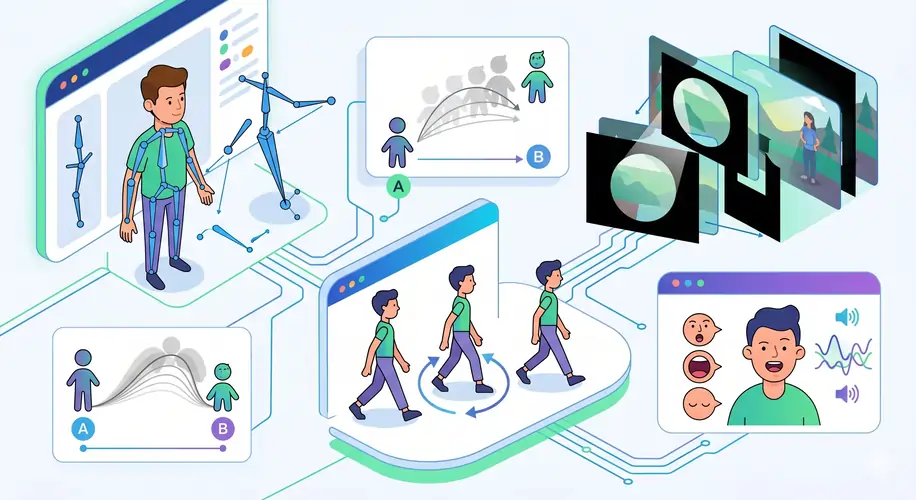
Key Techniques
- Rigging → Creating a digital skeleton for movement
- Tweening → Filling motion between keyframes
- Masking → Controlling visibility of elements
- Lip Syncing → Matching speech with mouth movement
- Walk Cycles → Looping natural movement
With Adobe Animation Maker tools, many of these are automated or simplified.
The Evolution of Animation
Animation didn’t begin with computers.
It started with mechanical illusions:
- Zoetropes
- Magic lanterns
- Early flipbooks
Then came milestones:
- 1908 → First hand-drawn animation experiments
- 1928 → Steamboat Willie introduces synchronized sound
- 1995 → Toy Story launches full CGI era
Today, we’re in the AI-assisted animation phase.
Adobe Animation Maker Tools Explained
The Adobe ecosystem is not one tool. It’s a stack.
Core Tools
1. Adobe Express
- Drag-and-drop animation
- Templates for beginners
- Quick logo and social animations
2. Adobe After Effects
- Advanced motion graphics
- Visual effects
- Professional compositing
3. Adobe Premiere Pro
- Video editing
- Sequence animation
- Audio integration
4. Adobe Animate
- Character animation
- Interactive content
- Web animations
Step By Step Animation Process
Every animation follows a structure. Ignore it, and quality drops.
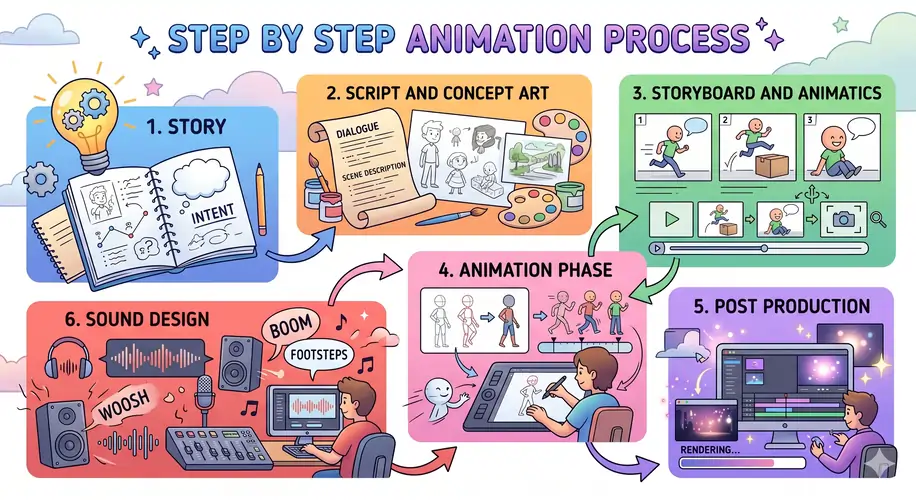
1. Story
Even a 10-second animation needs intent.
2. Script and Concept Art
Define visuals before execution.
3. Storyboard and Animatics
Think of this as a blueprint.
4. Animation Phase
- Create keyframes
- Add motion
- Refine timing
5. Post Production
- Effects
- Lighting
- Rendering
6. Sound Design
Sound completes the illusion.
Basic Animation Terms Simplified
You will encounter these everywhere:
- Frame Rate → Speed of animation
- Keyframe → Start or end of movement
- Tweening → Smooth transitions
- Timing → Duration of action
- Spacing → Distance between frames
- Compositing → Combining elements
Mastering these improves output instantly.
How To Start Using Adobe Animation Maker
No confusion. Follow this:
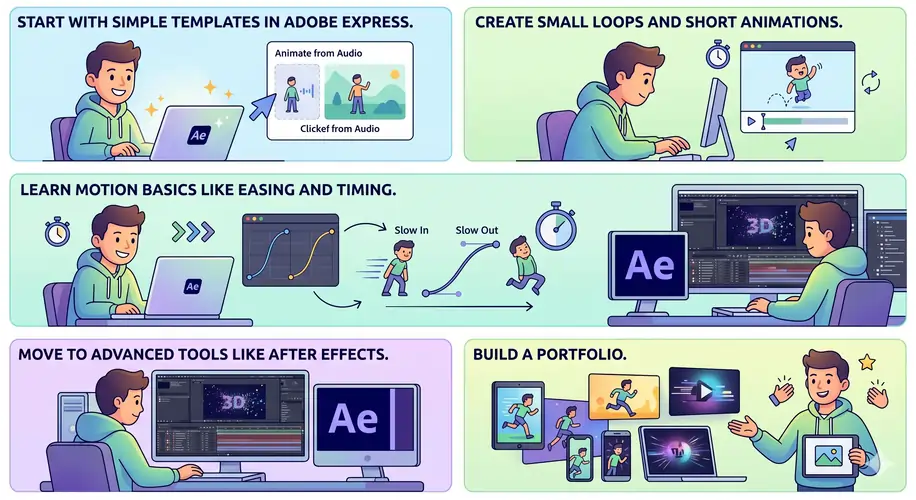
Step 1
Start with simple templates in Adobe Express
Step 2
Create small loops and short animations
Step 3
Learn motion basics like easing and timing
Step 4
Move to advanced tools like After Effects
Step 5
Build a portfolio
Animation in Marketing and Business
Animation is now a business tool.
Brands use it for:
- Product demos
- Social media ads
- Explainer videos
- UI animations
Why?
Because motion captures attention faster than static visuals.
Adobe Animation Maker Tutorial For Beginners
Starting animation today feels less like climbing a mountain and more like stepping onto a moving walkway. The Adobe Animation Maker ecosystem, especially Adobe Express, removes friction and lets you focus on ideas.
Beginner Roadmap
1. Start with Templates
Open Adobe Express and pick a ready-made animation template. This instantly gives you structure, timing, and style.
2. Add Your Content
- Replace text
- Upload images or icons
- Use built-in assets
3. Apply Motion Effects
Choose from:
- Fade
- Slide
- Zoom
- Pop
These are pre-built animations, so no technical setup required.
4. Adjust Timing
Control:
- Duration of each slide
- Speed of transitions
This is where your animation starts to feel “alive.”
5. Export and Share
Download as MP4 or GIF. Ready for social, ads, or presentations.
Beginner Tips That Actually Matter
- Keep animations under 10–15 seconds initially
- Use minimal text per scene
- Maintain consistent colors and fonts
- Avoid over-animation (too many effects = chaos)
When To Upgrade Tools
Once comfortable:
- Move to Adobe After Effects for advanced motion
- Use Adobe Animate for character animation
Start simple. Scale gradually.
Adobe Animation Maker For Social Media Content
Social media is a battlefield of attention. Static posts whisper. Animation speaks loudly.
Using Adobe Animation Maker, you can create scroll-stopping content in minutes.
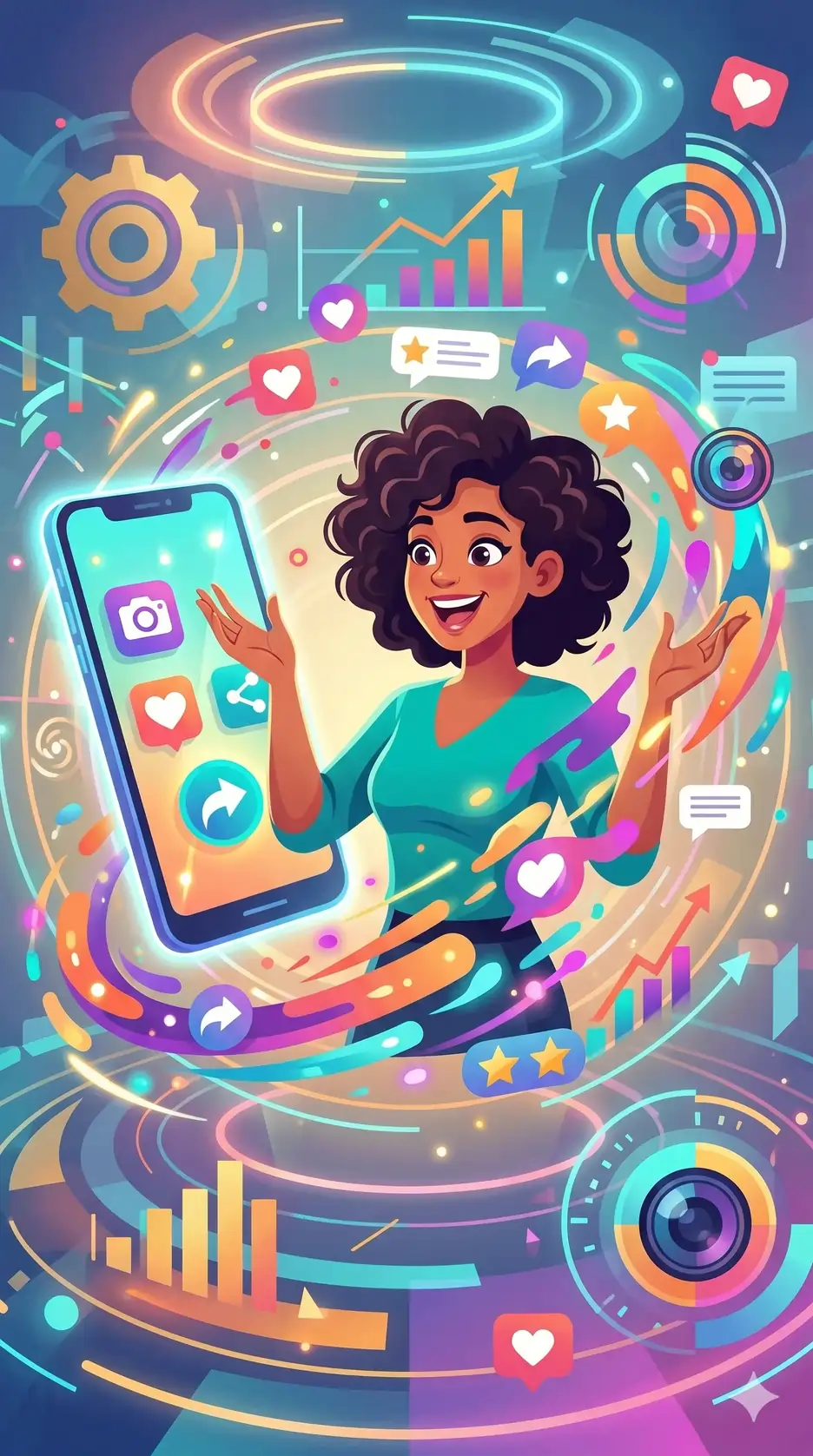
Best Content Types
- Instagram Reels animations
- YouTube Shorts intros
- Facebook ad creatives
- LinkedIn explainer snippets
What Works on Social Media
1. Hook in First 2 Seconds
Movement must start instantly. No delays.
2. Loop Animations
Short loops keep users watching longer. This boosts engagement.
3. Bold Typography
Motion + text = clarity + impact.
4. Vertical Format
Always design for 9:16 ratio.
Example Workflow
- Create a 6-second animation in Adobe Express
- Add bold headline text
- Apply zoom or slide effect
- Export and upload directly
Why Animation Wins
- Higher engagement rates
- Better retention
- Stronger brand recall
In crowded feeds, motion is leverage.
Adobe Animation Maker For Logos And Videos
A logo that moves is not decoration. It’s identity with energy.
With Adobe Animation Maker, logo animation becomes fast and scalable.
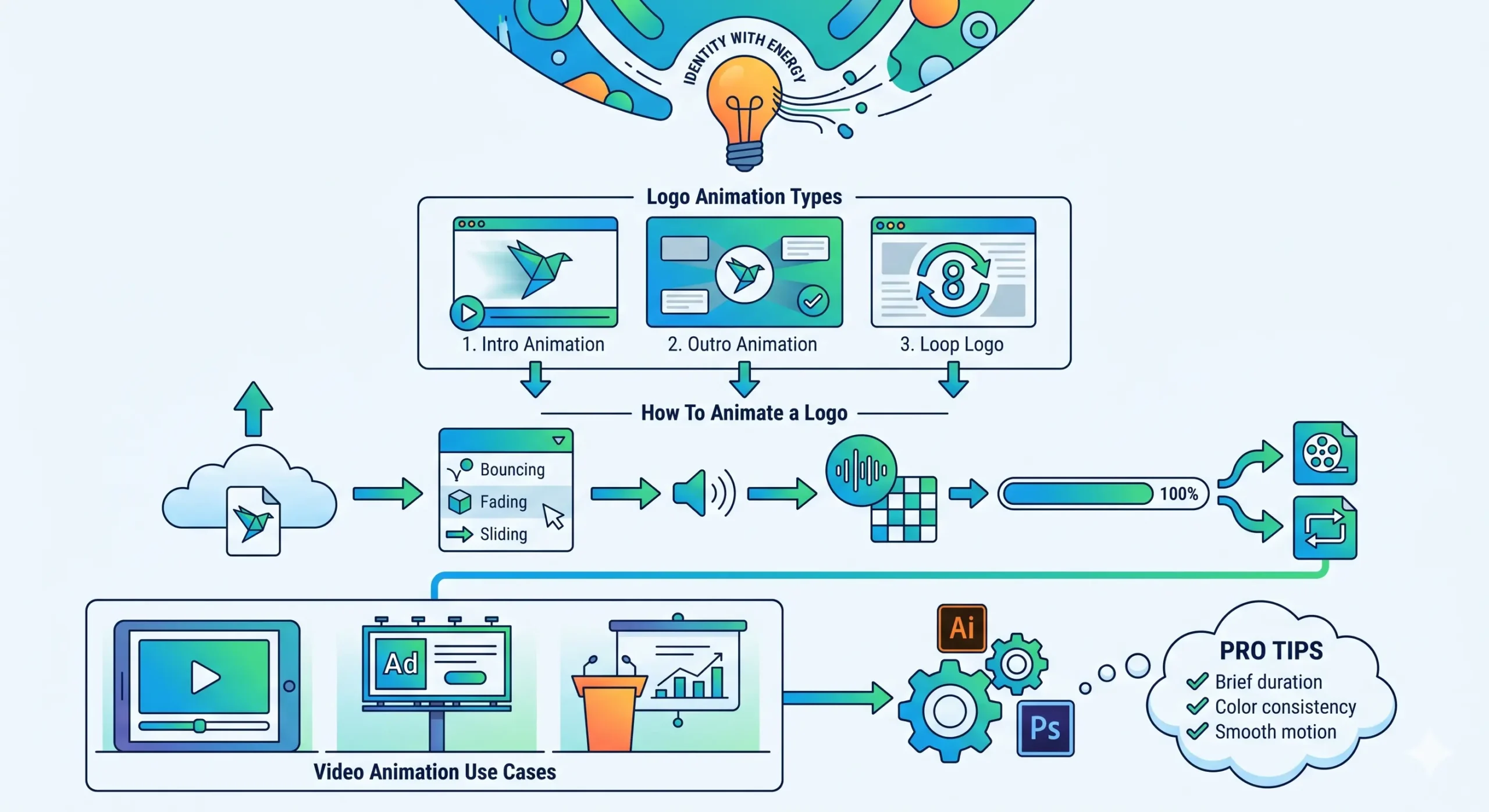
Logo Animation Types
1. Intro Animation
Used at the beginning of videos
2. Outro Animation
Ends videos with brand recall
3. Loop Logo
Used in websites and presentations
How To Animate a Logo
Step 1
Upload your logo into Adobe Express
Step 2
Choose animation style:
- Fade in
- Bounce
- Slide
Step 3
Add background or sound
Step 4
Export as video or GIF
Video Animation Use Cases
- YouTube intros
- Brand ads
- Product explainers
For advanced edits:
Use Adobe Premiere Pro alongside After Effects.
Pro Tips
- Keep logo animation under 5 seconds
- Maintain brand colors
- Avoid excessive motion
Clean animation feels premium.
Adobe Animation Maker Easy Animation Guide
This is the simplified playbook. No complexity. Just execution.
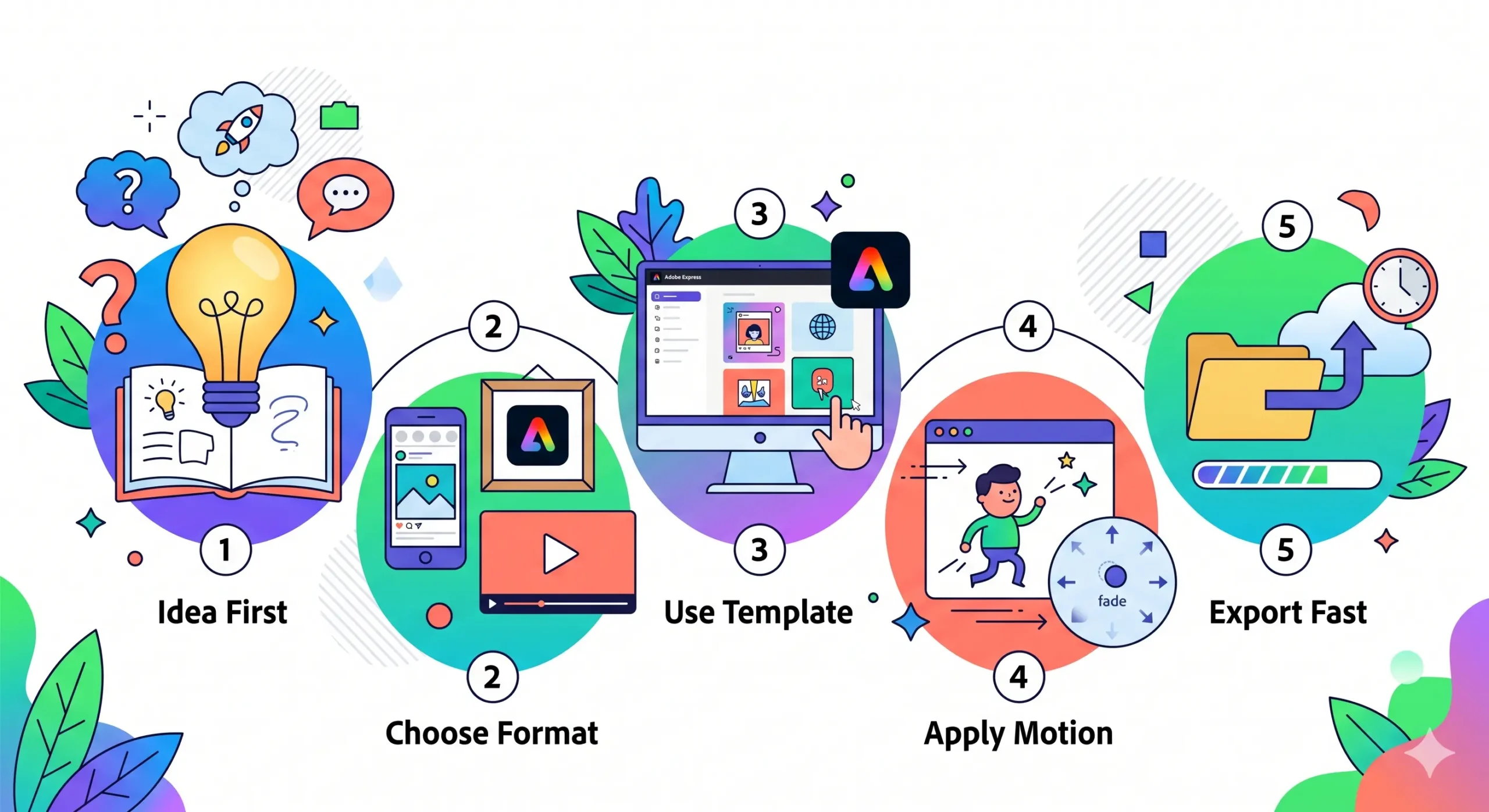
5-Step Easy Animation Formula
1. Idea First
What message are you conveying?
2. Choose Format
- Social post
- Logo
- Short video
3. Use Template
Adobe Express saves time.
4. Apply Motion
Stick to 1–2 effects only.
5. Export Fast
Done in minutes.
Simple Animation Ideas
- Text reveal animation
- Product highlight clip
- Quote animation
- Mini storytelling sequence
Common Mistakes to Avoid
- Overloading effects
- Poor timing
- Too much text
- Ignoring mobile format
Golden Rule
Clarity beats complexity.
A simple, clean animation will outperform a complicated one every time.
The Future of Animation
We’re entering a hybrid phase:
- AI-assisted animation
- Real-time rendering
- No-code animation tools
Adobe Animation Maker tools are already adapting:
- Faster workflows
- Automation features
- Template-driven creation
The barrier is no longer skill. It’s creativity.
Final Thoughts
Animation used to demand studios, teams, and years of effort.
Now, with Adobe Animation Maker, a single creator can:
- Design
- Animate
- Publish
All within hours.
The tools are ready. The market is growing. The only missing piece is execution.
Start small. Stay consistent. Build visually.
Because in a world flooded with content, motion wins.
FAQs
What is Adobe Animation Maker
Adobe Animation Maker is a set of tools within Adobe Express and other Adobe apps that help users create animated videos logos and graphics without advanced skills. It allows beginners and professionals to design motion content quickly using templates and drag and drop features.
Is Adobe Animation Maker free to use
Adobe Animation Maker offers a free version through Adobe Express with basic features. Advanced tools animations and premium templates require a paid subscription.
How can beginners start using Adobe Animation Maker
Beginners can start by choosing templates in Adobe Express adding text images and applying simple animation effects like fade slide or zoom. No coding or animation experience is required.
What types of animations can be created using Adobe Animation Maker
You can create:
- Social media animations
- Logo animations
- Explainer videos
- Marketing ads
- Short animated loops
Which Adobe tool is best for animation
It depends on your needs:
- Adobe Express for quick animations
- Adobe Animate for character animation
- Adobe After Effects for advanced motion graphics
How long does it take to create an animation
Using Adobe Animation Maker basic animations can be created in 5 to 15 minutes depending on complexity.
Why is animation important for marketing
Animation increases engagement improves retention and helps brands communicate ideas faster than static visuals making it essential for digital marketing.
What is the easiest way to create animation
The easiest way to create animation is by using Adobe Animation Maker tools like Adobe Express where you can use templates and pre built effects without technical skills.
Can I create animated videos without experience
Yes you can create animated videos without experience using Adobe Animation Maker because it provides drag and drop tools templates and automatic animation effects.
Which tool is best for social media animation
Adobe Express is one of the best tools for social media animation because it is fast simple and optimized for short content formats.
How do I animate a logo quickly
To animate a logo quickly upload your logo into Adobe Express apply a motion effect like fade or zoom adjust timing and export the video.