Digital storytelling has changed dramatically over the past decade. From blockbuster films to product commercials and social media videos, modern audiences expect visuals that feel immersive, cinematic, and polished. Much of that visual power comes from computer-generated imagery (CGI).
Behind every breathtaking scene, futuristic environment, or animated product reveal is a carefully crafted editing process. At the center of that process are CGI editors and the software they rely on.
In 2026, CGI editing is no longer limited to large Hollywood studios. Thanks to powerful editing software and real-time rendering technologies, production studios, marketing teams, and independent creators now use CGI video editing to produce high-quality digital content.
But with dozens of editing tools available today, choosing the right CGI editing software can be overwhelming.
This guide explores the best CGI editing software used by professional CGI editors, explains how these tools fit into modern video production pipelines, and highlights how creative studios combine these technologies to produce cinematic results.
Understanding CGI Editing in Modern Video Production
Before exploring software tools, it’s important to understand what CGI editing actually involves.
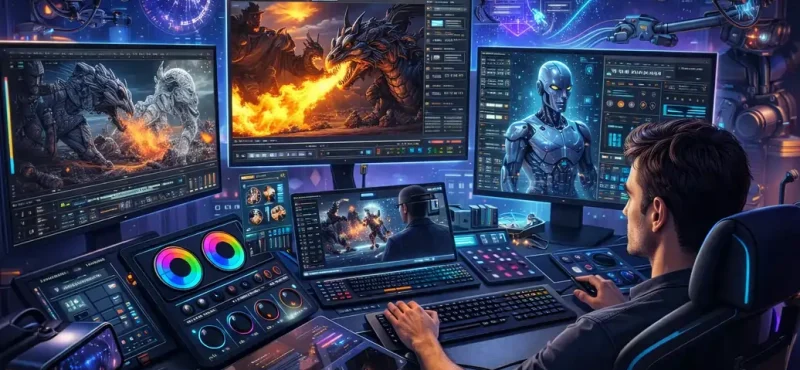
CGI editing refers to the process of combining computer-generated visuals with video footage to create seamless visual storytelling. It includes tasks such as:
- integrating 3D models into video scenes
- compositing digital environments with live action footage
- animating characters or products
- applying visual effects and simulations
- adjusting lighting and color grading
- rendering the final cinematic output
A professional CGI video editor must balance technical precision with creative storytelling. The goal is not simply to add effects, but to ensure every digital element blends naturally into the video.
This is why modern CGI video production often requires a combination of tools rather than a single piece of software.
Why Choosing the Right CGI Editing Software Matters
Video editing software plays a major role in how efficiently projects are completed.
If the software is too complicated, editors spend more time navigating menus than focusing on creativity. If it lacks power, complex scenes become difficult to render.
Professional CGI editing software must therefore balance three essential factors:
Performance
High-resolution projects, especially 4K and 8K videos, require powerful editing systems that can handle large files without playback lag.
Creative Flexibility
Editors must be able to add motion graphics, composite layers, animate assets, and manipulate color grading with precision.
Workflow Efficiency
Software should allow editors to move smoothly between tools without slowing down production pipelines.
When these factors align, editors can focus on storytelling rather than struggling with technical limitations.
The Best CGI Editing Software Used by Professional Editors
Several tools dominate the CGI editing industry today. Each offers different strengths depending on the type of production.
Below are some of the most widely used CGI editing software solutions in 2026.
Adobe Premiere Pro – The Industry Standard for CGI Video Editing
Adobe Premiere Pro remains one of the most widely used tools for professional video editing and CGI compositing.
Many production studios rely on Premiere Pro because it integrates smoothly with other Adobe applications such as After Effects and Photoshop. This integration allows CGI editors to move assets between applications without complex file conversions.
Premiere Pro also offers advanced features such as:
- Lumetri color grading panels for precise color adjustments
- multi-camera editing tools for complex shoots
- proxy workflows for editing large files smoothly
- seamless integration with motion graphics created in After Effects
For studios producing commercial videos, films, and web content, Premiere Pro remains one of the most reliable tools available.
DaVinci Resolve – Studio-Grade CGI Editing and Color Correction
DaVinci Resolve has gained immense popularity in recent years, especially for projects that require advanced color grading and high-end post-production workflows.
Originally known for its color correction tools, Resolve now includes a full editing environment that combines:
- Video editing
- Visual effects through Fusion
- Audio production through Fairlight
- Professional color grading
One of the biggest advantages of Resolve is its ability to handle complex collaborative projects where multiple artists work on different stages of production simultaneously.
Because of its powerful capabilities and free version availability, many independent studios and filmmakers consider DaVinci Resolve one of the best CGI editing software options available today.
Final Cut Pro – Optimized Editing for Apple Systems
For Mac users, Final Cut Pro offers a highly optimized editing environment that integrates deeply with Apple hardware.
Its magnetic timeline system allows editors to arrange clips quickly without dealing with complicated track management.
Final Cut Pro also benefits from Apple’s powerful processors, allowing editors to work smoothly with multiple streams of high-resolution footage.
Key features include:
- Fast background rendering
- Multi-camera editing
- Built-in color grading tools
- Advanced motion graphics templates
Because of its performance and simplicity, Final Cut Pro remains a popular tool for creators working within the Apple ecosystem.
CyberLink PowerDirector – Fast Editing with Professional Features
CyberLink PowerDirector is known for offering a powerful yet user-friendly editing experience.
It supports modern formats such as 4K and 360-degree footage, making it useful for creators working on immersive content.
The software includes features such as:
- Proxy editing for smoother playback
- Customizable transitions and visual templates
- AI-assisted editing tools
- Built-in motion graphics libraries
For editors who want powerful features without an overly complex interface, PowerDirector provides a balanced solution.
Corel VideoStudio – Motion Effects and Creative Visuals
When it comes to adding motion effects and dynamic overlays, Corel VideoStudio offers an accessible yet powerful editing environment.
One of its most useful features is motion tracking, which allows editors to attach graphics or text to moving objects within a scene.
For example, editors can:
- Track a moving car and attach text to it
- Animate graphics along a moving path
- Apply motion-based visual effects
This makes VideoStudio particularly useful for creators producing social media content, promotional videos, and action-style visuals.
Movavi Video Editor – Fast Editing for Short-Form Content
Not every project requires a complex production pipeline.
For quick edits such as social media videos or marketing clips, Movavi Video Editor provides a streamlined editing experience.
The software focuses on simplicity and speed, allowing creators to trim clips, apply filters, and add transitions without navigating complicated menus.
Movavi includes:
- Built-in visual filters
- Ready-made templates
- Music libraries
- Fast export options
While it may not offer the advanced compositing tools used in large productions, it works well for fast content creation.
Cloud-Based CGI Editing Tools and Automation
Another growing trend in 2026 is the use of cloud-based video processing tools.
Instead of handling every editing task manually, cloud APIs allow developers and editors to automate repetitive operations such as:
- Trimming clips
- Merging videos
- Adding watermarks
- Generating multiple video formats
Platforms such as Cloudinary Video APIs allow editors to perform transformations through code, reducing manual editing time.
This approach is particularly useful for companies managing large libraries of video content.
How Professional CGI Editors Combine Multiple Tools
In most professional production pipelines, editors do not rely on a single piece of software.
Instead, they combine several tools depending on the stage of production.
A typical CGI video production pipeline might include:
- 3D modeling and animation tools for creating digital assets
- Compositing software for integrating CGI elements with video footage
- Video editing software for assembling the final timeline
- Color grading tools for visual consistency
- Rendering engines for producing the final output
This multi-tool workflow allows editors to maximize creative flexibility and technical performance.
Benefits of Using Professional CGI Editing Software
Using the right CGI editing software offers several advantages.
Faster Production
Modern editing tools support GPU acceleration and proxy workflows, allowing editors to work with high-resolution footage smoothly.
Improved Visual Quality
Advanced color grading, compositing, and rendering tools enable editors to create cinematic visuals that capture audience attention.
Creative Flexibility
Editors can experiment with motion graphics, visual effects, and animations without limitations.
Efficient Collaboration
Many editing tools now support collaborative workflows, allowing multiple artists to work on the same project simultaneously.
Planning the Right CGI Editing Workflow
Choosing the best CGI editing software is only part of the process.
To maintain efficient production pipelines, studios must also plan their workflow carefully.
Key considerations include:
- Selecting tools that integrate well with other software
- Organizing assets and templates for faster editing
- Maintaining consistent color grading across projects
- Using proxy workflows for large files
- Implementing cloud-based automation where possible
When these practices are implemented correctly, editors can focus more on creativity and less on technical obstacles.
The Future of CGI Editing Software
As artificial intelligence continues to evolve, CGI editing software is becoming even more powerful.
AI-assisted tools can now help editors with tasks such as:
- automatic scene detection
- smart color matching between clips
- AI-based motion tracking
- automated editing suggestions
In the future, we will likely see more AI-assisted CGI editing tools that streamline production workflows and allow creators to produce high-quality content faster than ever before.
However, even with these technological advancements, human creativity will remain the most important factor in visual storytelling.
Final Thoughts
CGI editing has become a cornerstone of modern video production. From cinematic action scenes to product marketing videos, computer-generated imagery allows creators to push the boundaries of visual storytelling.
Choosing the right CGI editing software is essential for building an efficient workflow that supports both creativity and performance.
Tools like Adobe Premiere Pro, DaVinci Resolve, Final Cut Pro, and CyberLink PowerDirector continue to lead the industry by offering powerful editing capabilities and flexible production pipelines.
But the real power of CGI editing lies not only in the software itself, but in how editors combine these tools to tell compelling stories.
As video content continues to dominate digital platforms, CGI editing will remain one of the most valuable skills in modern media production.
For studios, brands, and filmmakers looking to create visually stunning content, mastering the right tools is the first step toward bringing imagination to life.
FAQs
What is CGI editing in video production?
CGI editing is the process of integrating computer-generated imagery into video content to create visual effects, animated environments, and digital elements. CGI editors combine 3D animation, compositing, color grading, and video editing techniques to produce cinematic visuals used in films, commercials, marketing videos, and digital media.
What software is used for CGI editing?
Professional CGI editors use advanced software such as Adobe Premiere Pro, DaVinci Resolve, Final Cut Pro, Blender, Cinema 4D, and After Effects. These tools allow editors to perform video editing, motion graphics, compositing, and color correction to produce high-quality CGI videos.
What is the best CGI editing software in 2026?
Some of the best CGI editing software in 2026 include Adobe Premiere Pro for professional editing workflows, DaVinci Resolve for advanced color grading and compositing, Final Cut Pro for high-performance editing on Mac systems, and Blender for 3D animation and CGI production.
What does a CGI editor do?
A CGI editor works with digital assets, video footage, and visual effects to create seamless cinematic scenes. Their tasks include compositing CGI elements into video, color grading, editing timelines, adding motion graphics, and ensuring that computer-generated visuals blend naturally with live-action footage.
What is CGI video editing used for?
CGI video editing is used across many industries including filmmaking, advertising, product marketing, gaming trailers, architecture visualization, and online video content. It helps create visuals that would be difficult or impossible to film in real life.
Can beginners learn CGI editing software?
Yes. Many CGI editing tools offer beginner-friendly features and tutorials. Software such as Blender and DaVinci Resolve provides free versions that allow new editors to learn CGI editing and video production before moving to advanced professional workflows.
What is the difference between CGI editing and VFX editing?
CGI editing focuses on integrating computer-generated imagery into video content, while VFX editing refers more broadly to visual effects techniques used to manipulate footage. CGI is often a major component of VFX, but VFX can also include practical effects and compositing techniques.
Why is CGI editing important in modern video production?
CGI editing allows filmmakers and content creators to build digital worlds, create realistic simulations, and produce visually engaging content that attracts audiences. It enables storytelling possibilities that traditional filming techniques cannot achieve.